DITI FEATURE · 01
True no-code A/B testing
for web & mobile.
Turn customer questions into evidence—not another engineering queue. Build, launch, and learn from supported experiments in one focused workflow.
Preview before launch Target the right audience Guardrails with auto-revert
 Diti
Diti✦ EARLY ACCESS FOR PRODUCT TEAMS
One guided setupThen your team can testPreview & targetingChoose who sees each testGuardrails & auto-revertProtect the customer experience
AGENTIC AI FOR CONVERSION
An agentic workflow
for your next test.
Give Diti the page you want to improve. Our agentic AI optimization workflow turns the most important conversion opportunity into clear copy directions and an A/B test plan.
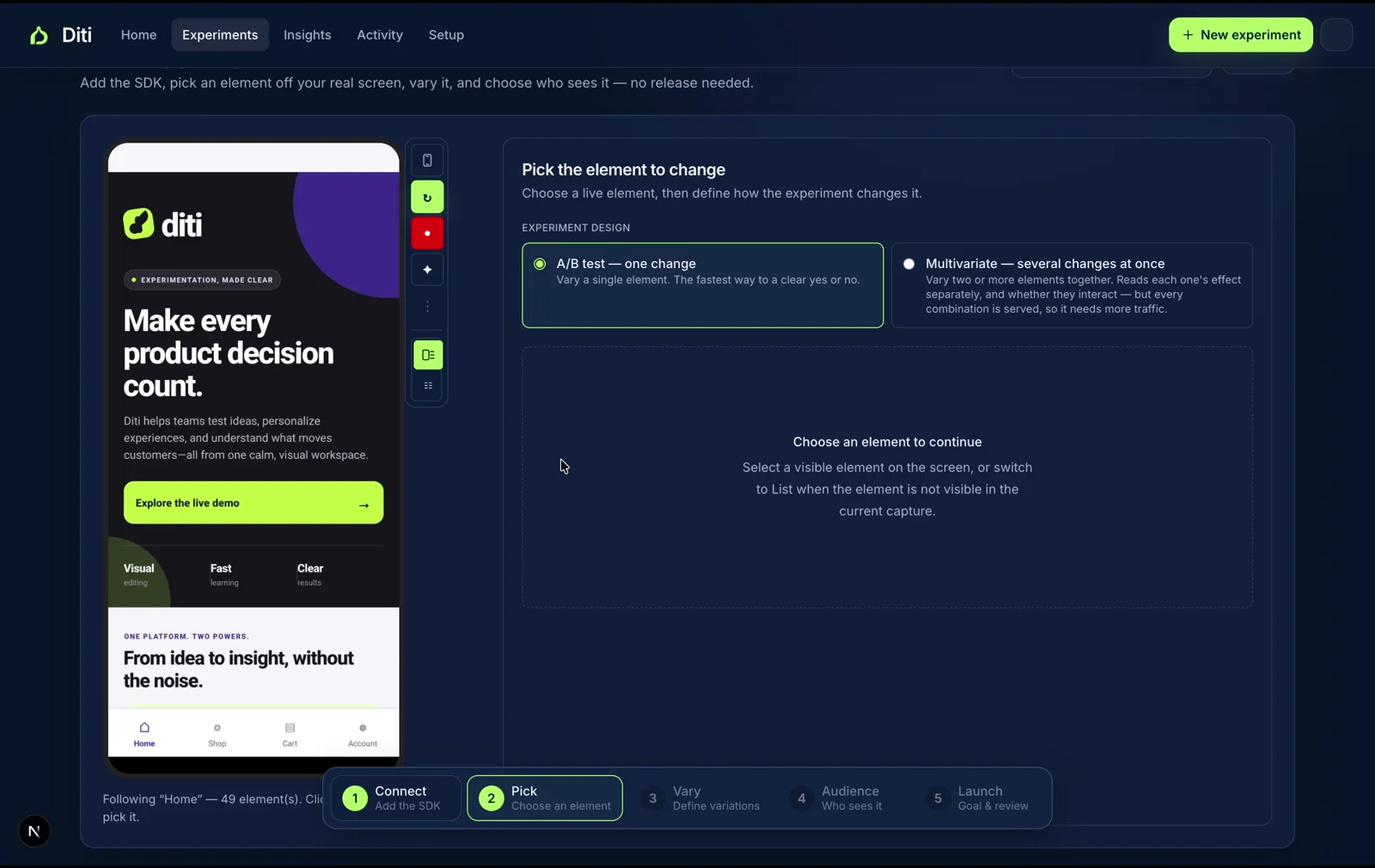
- 01One clear opportunityThe decision worth testing first.
- 02Three copy directionsFocused variants for the page.
- 03One test planHypothesis, metric, and audience.
AGENTIC AI, APPLIED
One workflow.
Three jobs it moves forward.
Agentic AI is useful when it turns the next decision into useful work—not another blank chat box. Use it to find the opportunity, build the test, and learn what to do next.
FIND THE NEXT OPPORTUNITY
Agentic conversion review
Start with a page and a goal. The agentic workflow focuses the conversion moment worth improving, then gives you clear directions for what to test.
Start a review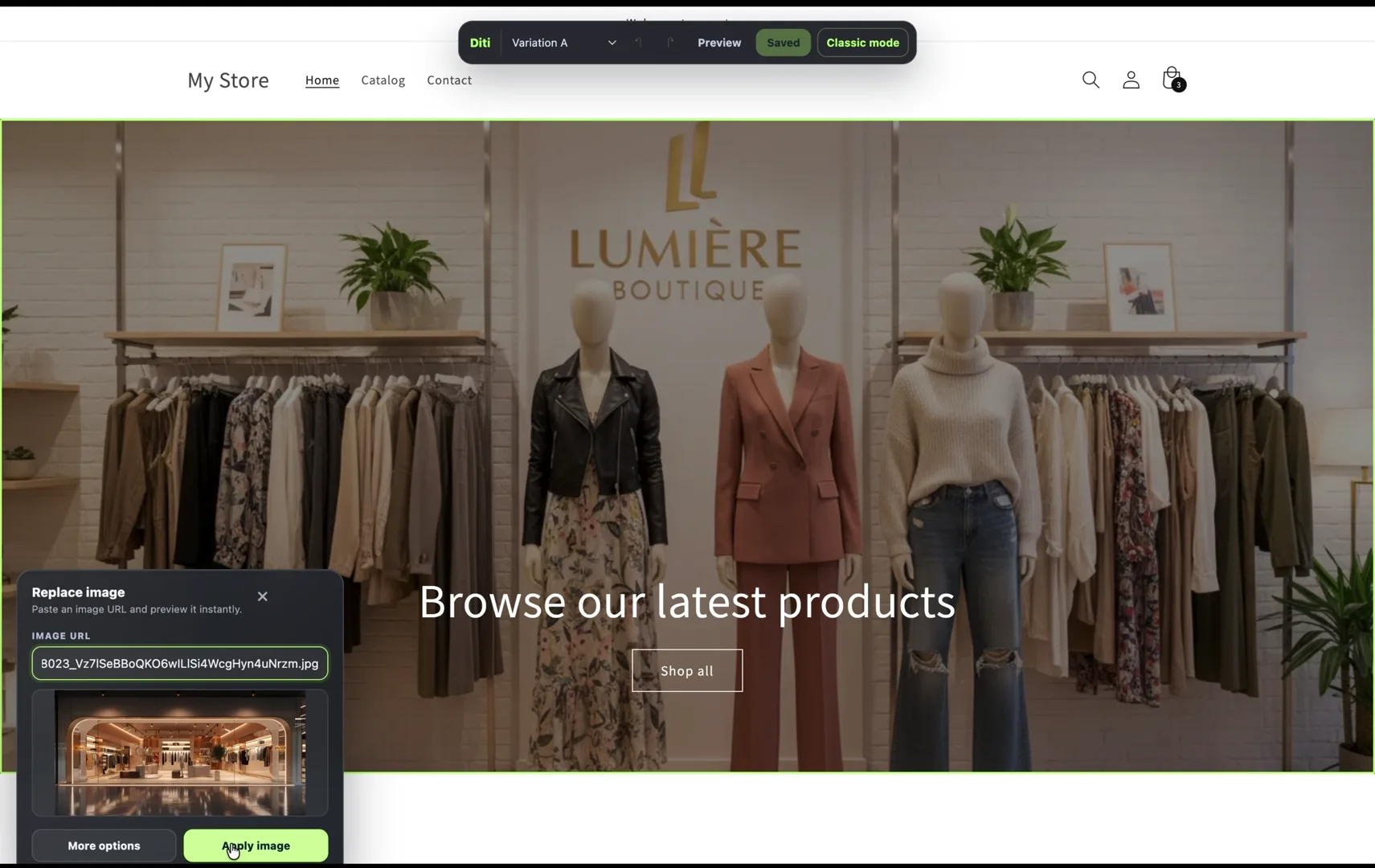
TURN THE IDEA INTO A TEST
Agentic experimentation
Move from a recommendation to a supported UI variation. Preview the control and variant, choose an audience, and prepare a focused A/B test.
See the workflow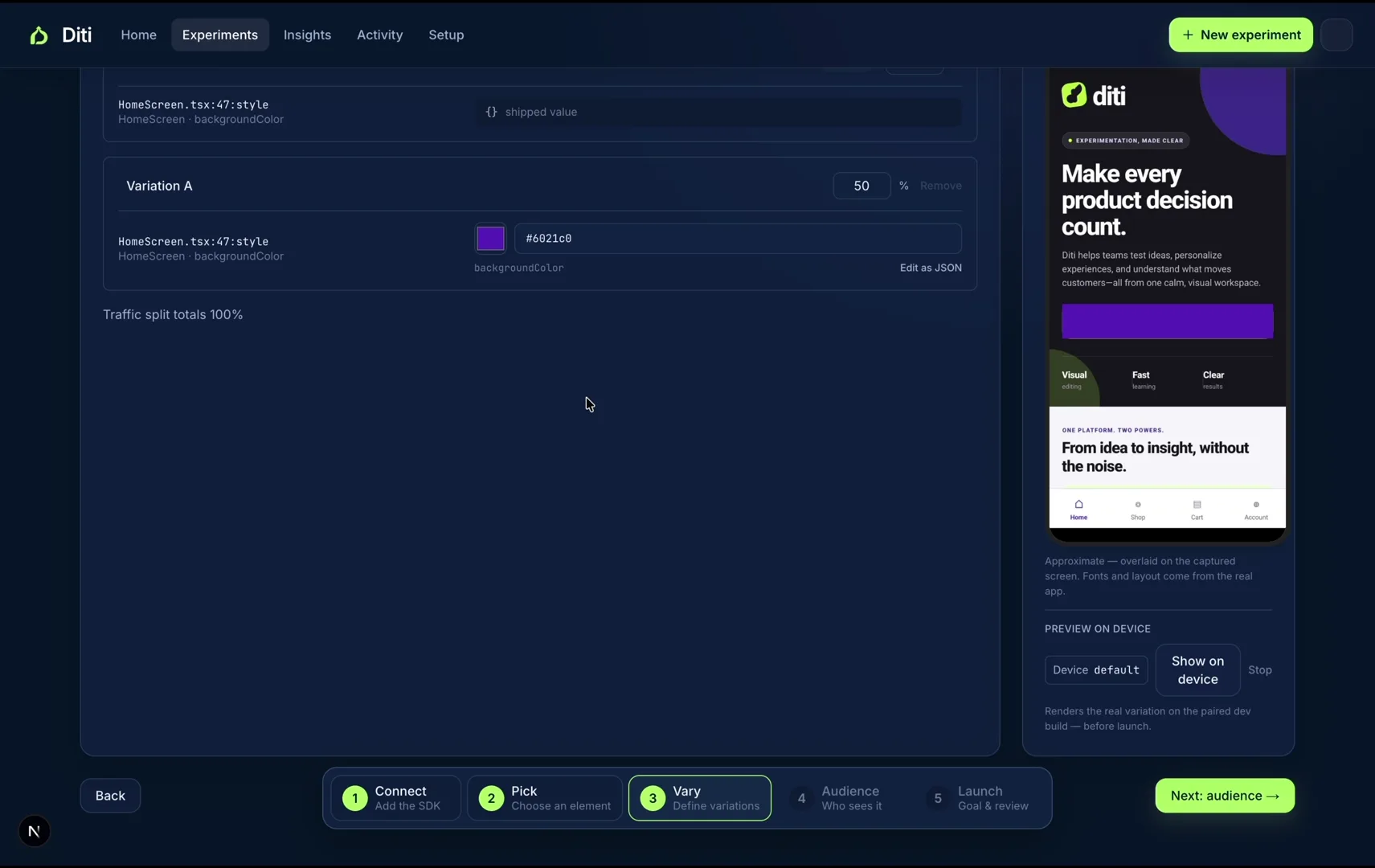
KEEP THE LEARNING MOVING
Agentic learning loop
Read the outcome with the right guardrails, share the decision, then choose whether to ship the winner, iterate, or run the next experiment.
Explore resultsEXPERIMENTATION AT SCALE
Built for the momentum
behind every great product.
From the first hypothesis to a winning variation, Diti has helped teams successfully launch more than one million experiments across web and mobile.
+
successful experiments launched
WHY DITI
Less dashboard.
More discovery.
One calm place to build, measure, and safely ship the changes that move your product forward.
06 capabilities · one workflowVisual experimentation
Build and preview changes directly on your live product—without waiting on a release cycle.
Statistics that explain
Know what moved, why it matters, and when your result is ready to trust.
One workflow for web + app
Run supported experiments across web and mobile from one workspace.
Faster, safer results
CUPED helps you learn sooner, while guardrail auto-revert protects the customer experience.
Clear winners, shared instantly
See when a result is ready to act on, share the decision in Slack or Discord, then ship the winning variant.
Zombie-test auto-kill
Stops no-signal tests and alerts your team.
HOW DITI WORKS
A clearer path from
question to confidence.
Every slide follows the same focused loop: find a real customer moment, test the smallest useful change, then decide with evidence.
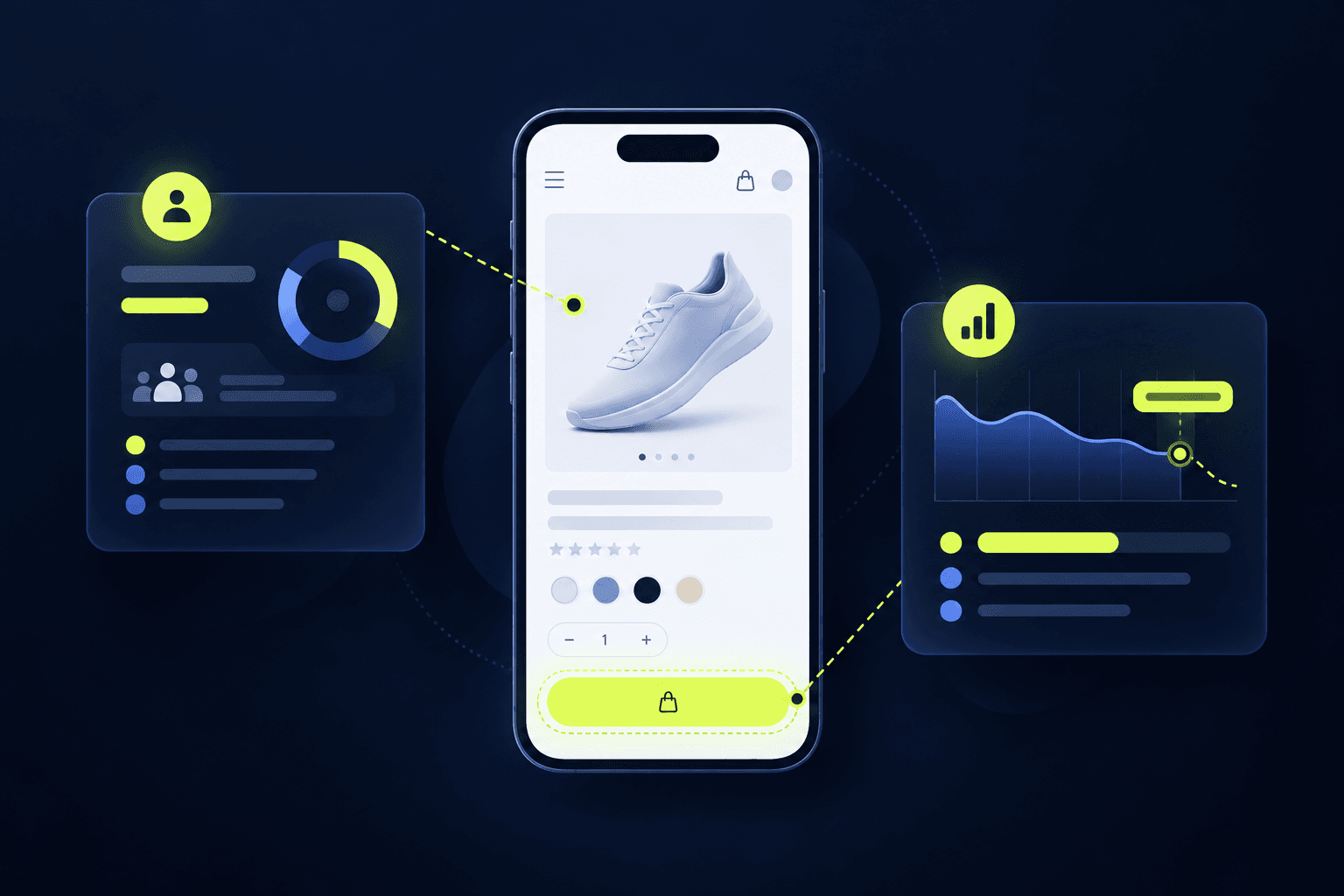
01 · FIND THE FRICTION
See the moment that needs attention.
Start with a real customer question. Diti helps your team focus an experiment on the page, screen, or action where momentum is breaking.
- Bring a specific product question
- Target the visitors and customer moment that matter
A DIFFERENT STANDARD
Built to move at
the speed of insight.
WHAT MATTERS DITITHE USUAL WAY
DITITHE USUAL WAYVisual editor that feels nativeEdit and previewClunky or extra
Target the right audienceVisitors, device, campaignBroad or manual
Safe rollout when the test is liveGuardrails + auto-revertWatch it manually
Supported React Native UI experimentsChange and test without a new build per variationCustom native work
Results your whole team can readClear winner guidanceBuilt for analysts
Ship supported changes after a winOne focused workflowHandoff and delay
PRICING
Simple, transparent pricing
for serious growth teams.
Start with one guided setup, then give your team a safe way to preview, target, and learn from supported experiments.
THE GUIDED PILOT
$1,000One-time fee
Best for: Completing setup together and launching your first supported experiments safely.
Includes:
- 30-day risk-free evaluation
- Up to 3 live experiments
- Guided technical setup
- Private Slack channel
STARTUP
$300per month · cancel anytime
Best for: Small teams starting a focused experimentation program.
Includes:
- Up to 20,000 tested users/month
- 2 concurrent experiments
- Cross-platform (Web & app)
- Guided onboarding
GROWTH
$1,000per month · billed annually
Best for: Scaling up testing across your web and mobile apps.
Includes:
- Up to 250,000 tested users/month
- Unlimited experiments
- Cross-platform (Web & app)
- Build-time safety checks
ENTERPRISE
Custompricing per month
Best for: Massive data volume and advanced security needs.
Includes:
- Millions of tested users
- Single Sign-On (SAML/SSO)
- Custom SLAs
- On-premise deployment options
FAQS
The details behind
the promise.
Understand what Diti supports, where engineering stays involved, and how to start safely.
Read our methodologyIs Diti really no-code?
Diti removes repeated implementation work for supported UI experiments. Engineering completes the initial website or app setup, and new backend behavior, native capabilities, or unshipped product features remain engineering-led work.
Which platforms does Diti support?
Diti supports website experimentation and (React Native, flutter, kotlin, swift and java) app experimentation on supported iOS and Android builds. The same workspace helps teams manage supported customer-experience tests across those surfaces.
Do React Native experiments need an app-store release?
Supported UI variations do not need a separate app-store release for every test. The initial SDK integration and any new capability still go through your normal engineering release process.
What can teams test with Diti?
Diti is suited to supported UI decisions such as copy, images, visibility, styling, and selected layout choices. It is not a replacement for engineering work on backend logic, payments, new native capabilities, or complex business rules.
How does the guided pilot work?
The guided pilot is a 30-day, risk-free evaluation with white-glove setup, up to three live experiments, and a private Slack channel. It is designed to validate Diti against your product before you scale the program.
CUSTOMER REVIEWS
Built for the teams
who are building next.
What early Diti customers say after bringing experimentation into their everyday product workflow.
“Diti made experimentation feel like a product conversation again—not a queue for engineering. We launched our first test in an afternoon.”
“The visual editor gives our growth team the autonomy to learn quickly, while the results make it obvious when there is a real winner.”
“Having web and mobile experiments in one workflow has changed how we plan releases. It's easy to setup and understand, and the results are clear for the whole team.”